Ari Inventory

Web App

Product Design

UI / UX

Prototyping

AI Development

Interaction

Role:

Lead Product Designer

Duration:

1 Month

Tools:

Claude Code, Figma, Illustrator

How Ari Inventory Started

Ari was originally designed for Dolo’s Pizza Co, a growing pizza franchise, as an internal tool to address an increasing frustration with retail and warehouse based inventory solutions that just weren’t working for their kitchen workflow.
After a successful internal launch, I led the design and development of the customer-facing app working with the founders and culinary industry professionals for feedback and testing.

One Question:

Why isn’t there inventory for chefs?

Meaning chefs and kitchen managers specifically. There are many inventory systems for warehouses, retail, and e-commerce but none of them are truly suited for week to week inventory of kitchen operations. We sought out to solve that problem.

Designed with Claude Code & Figma

Utilizing Claude Code, I was able to streamline the prototyping and design process. Prototyping that would have taken hours took minutes allowing more room for design intent.

The Founding Design

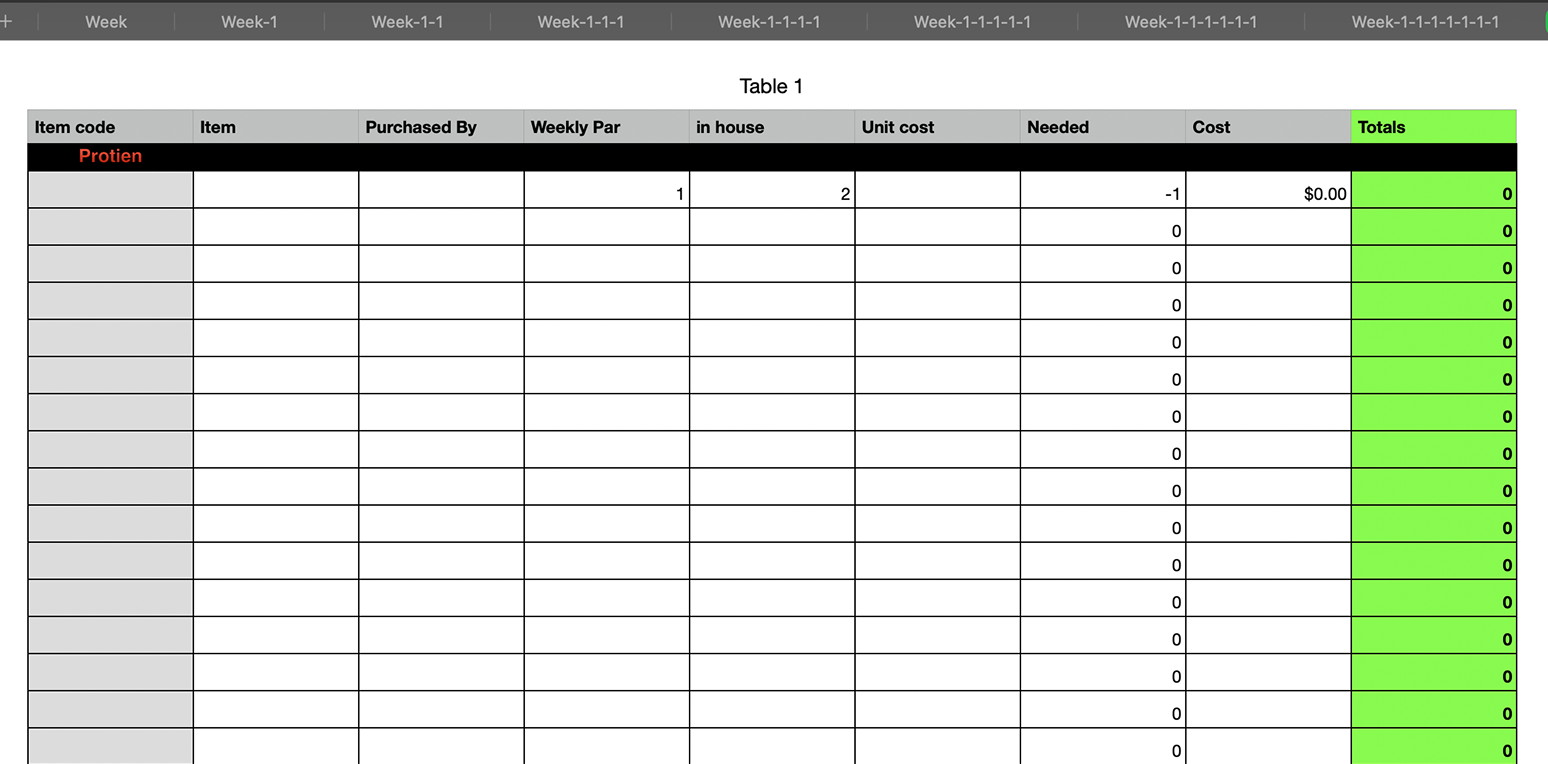
Starting from the initial CSV

Internally, inventory had been kept as a CSV file with basic functionalities.
This system was cumbersome and made onboarding new employees difficult

Claude Code Prototype

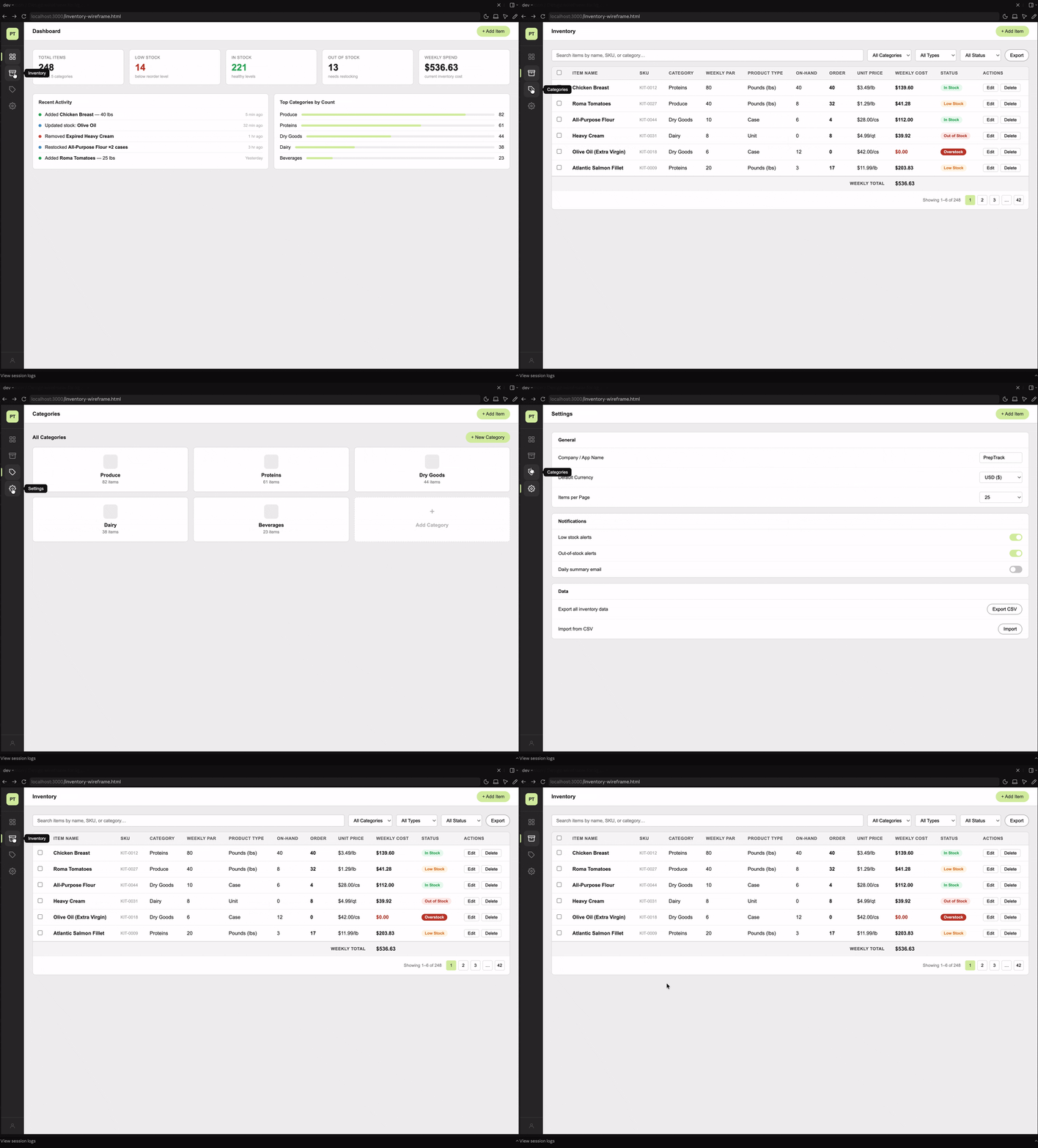
Wireframe and functionality

With Claude Code, I was able to quickly generate a wireframe and basic function.

Inventory Function and Status Tags

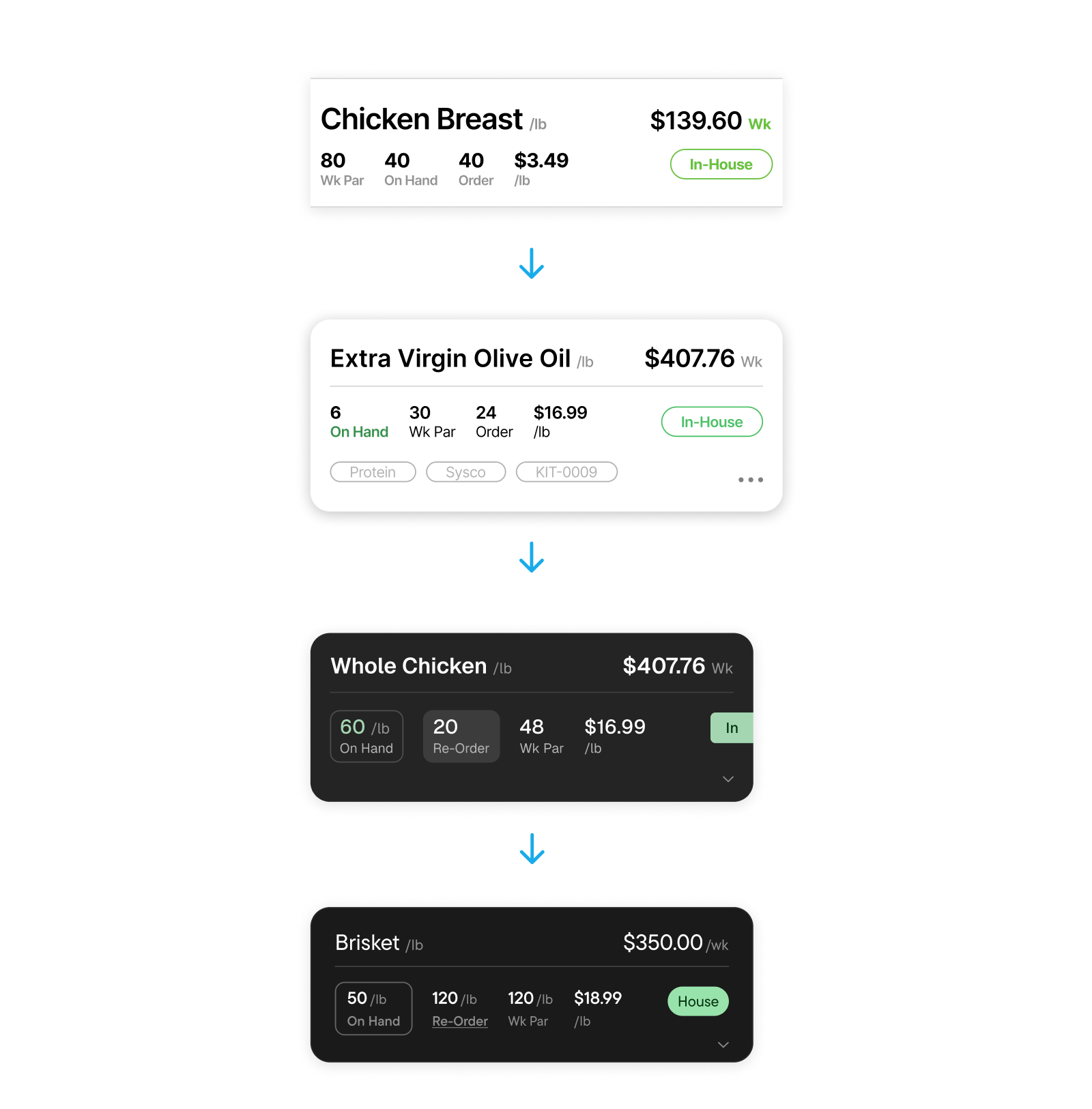
I added the core functionality to calculate our inventory: “on-hand” amount to “order” amount and set the conditions for state changes . Changing our status tags for In-House, Low Stock, and Out of Stock.

Optimized for Mobile

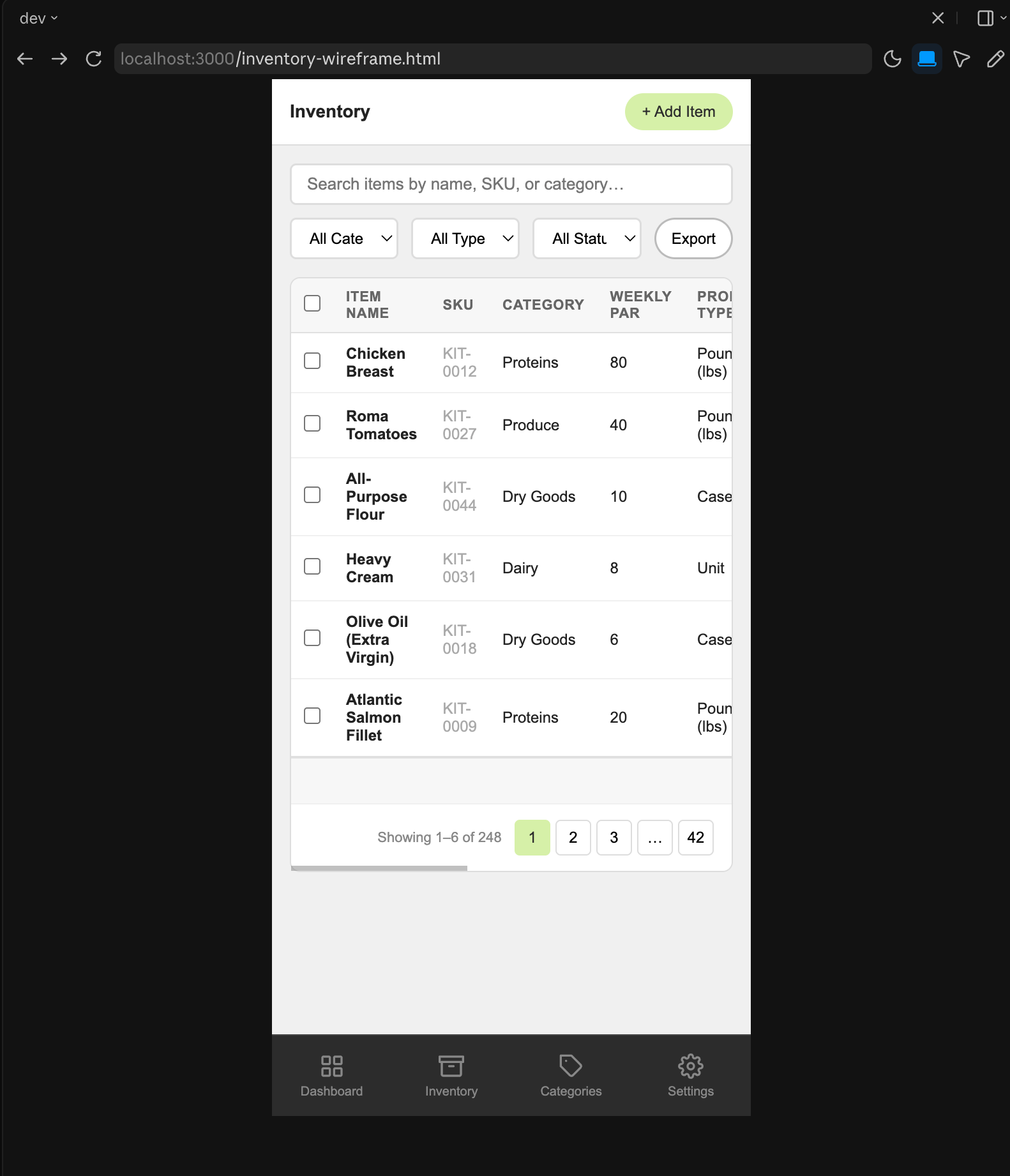
Mobile Focus

Mobile devices became the focus since Ari is designed to be a kitchen companion app and most chefs are on mobile.
Its a bit broken at the moment but that will be fixed when we get to figma.

Like a pair of your favorite old jeans

The app is designed to fade away into the background. Like wearing your favorite pair of jeans, or a familiar wrench.

It’s not that “I’m opening an app”,
the goal for Ari is:
“I’m doing inventory”.

Chef-Forward Design

The guiding design philosophy for Ari

A Glanceable Inventory

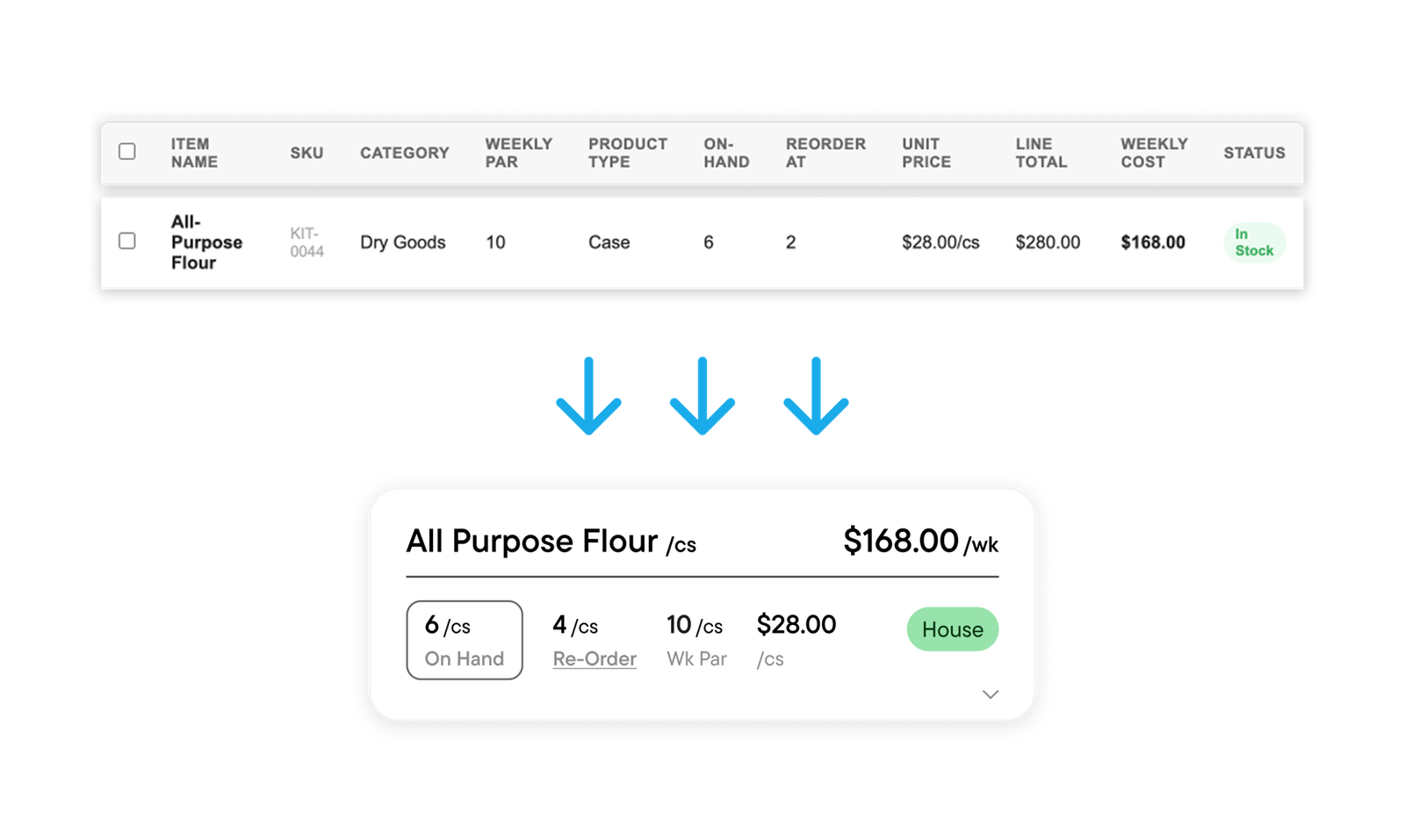
Reorganizing the information into a card

For a chef forward app we need the information organized in a more efficient manner.
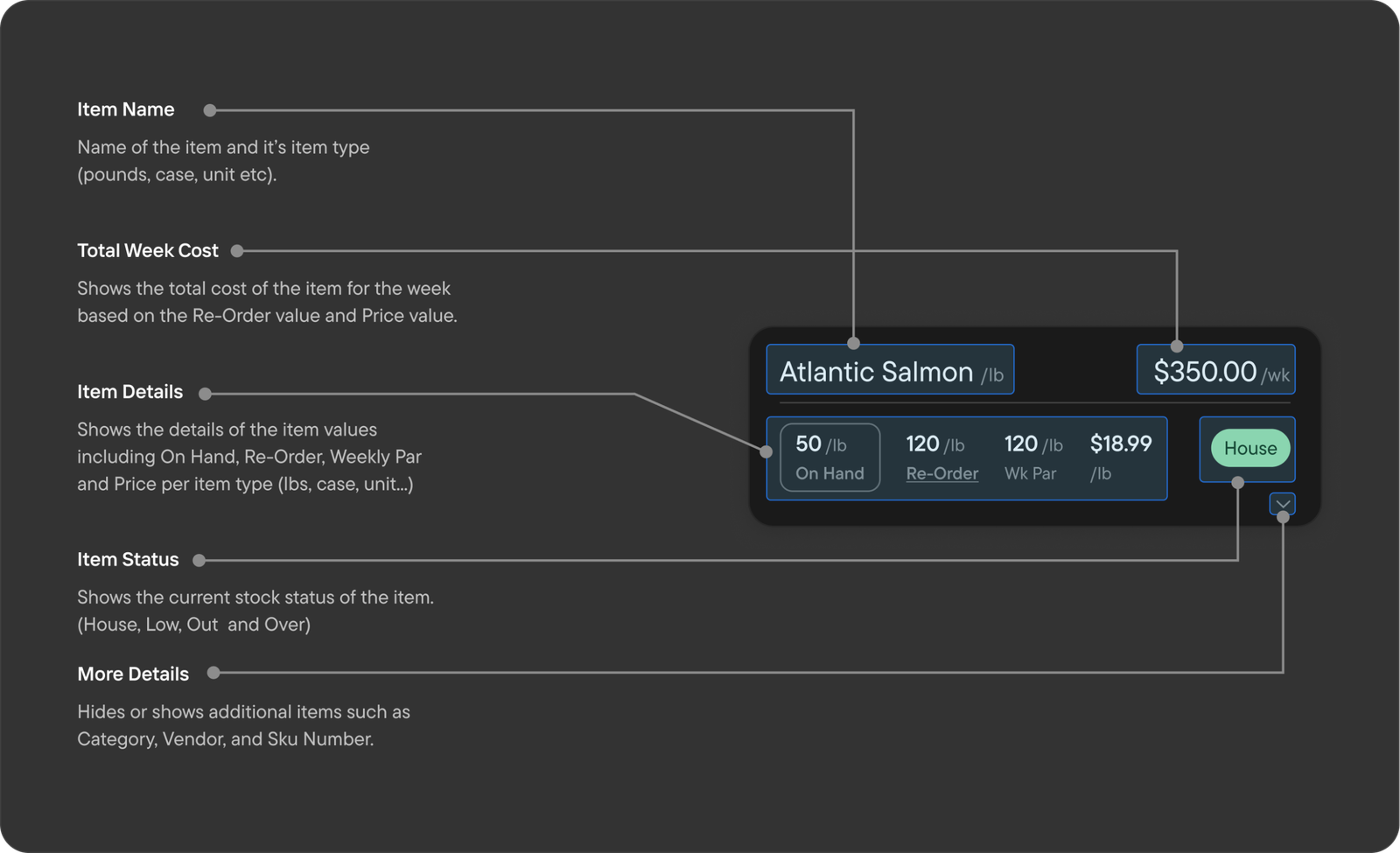
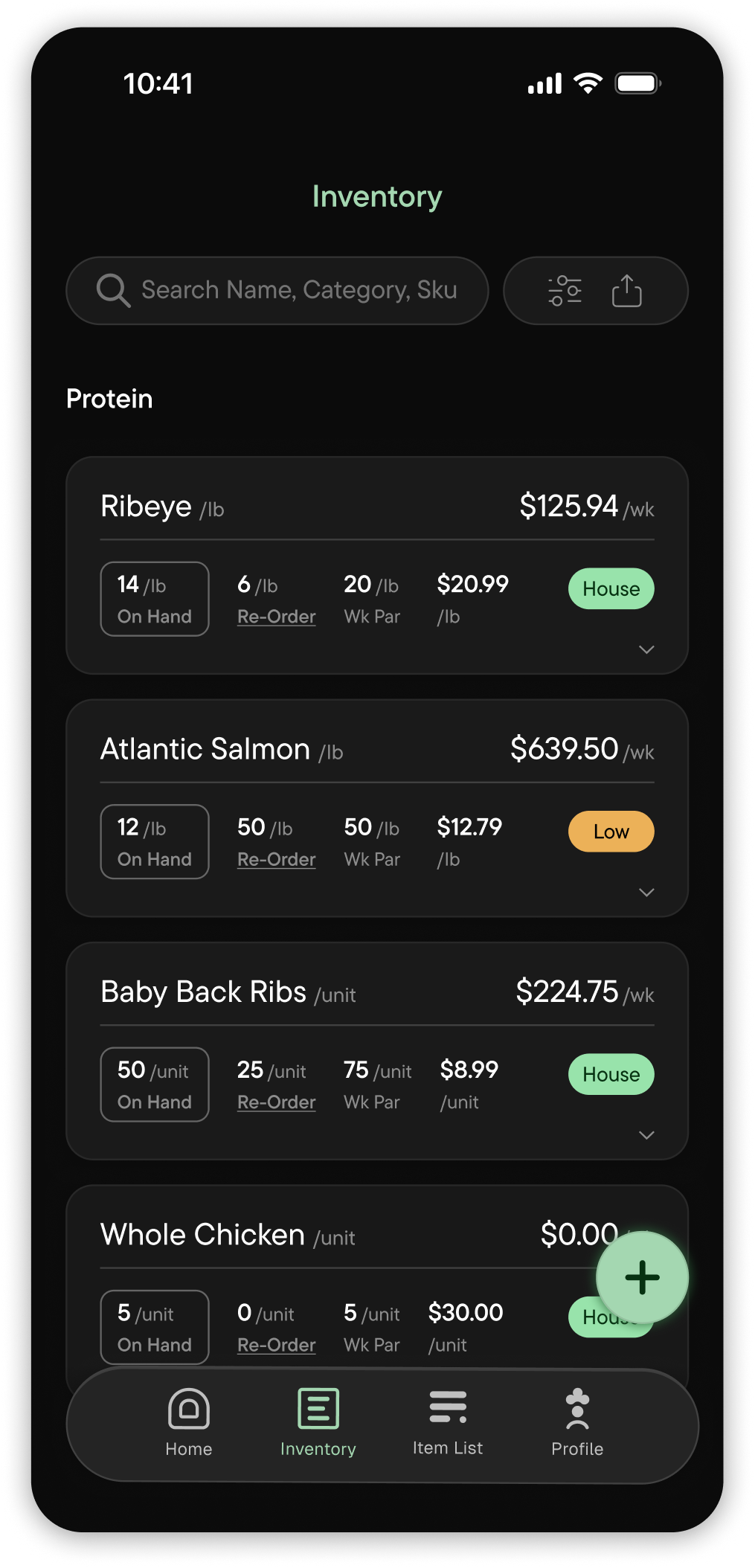
I reorganized the information from our inventory list into cards. Each item is now more clearly defined.
Restyled the relevant information in our inventory card to be more concise and instantly readable.

Design Feedback (Cards)

Getting the card size right was one of the toughest challenges for this project.
The card design went through several rounds of testing and iteration with industry chefs of multiple backgrounds and use cases, converging on the current design.

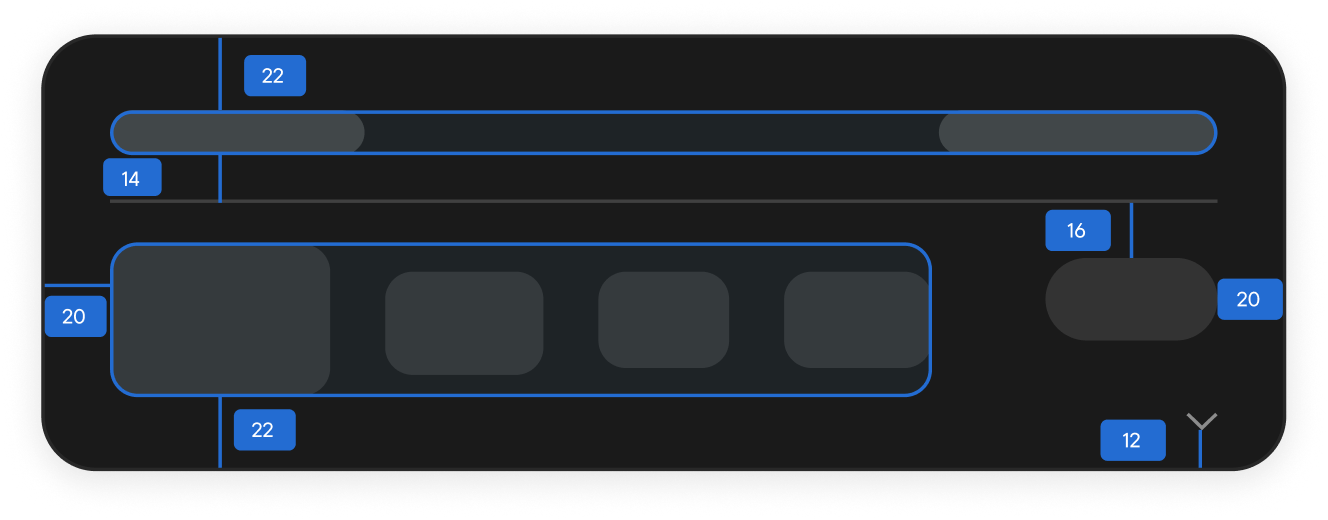
Card Size and Spacing

For an inventory app with up to hundreds of items, the size of each item card has to be small enough to scroll through multiple items but be large enough for legibility.
I made sure each element had enough padding for legible clarity while also keeping the spacing distance in mind.

Simplifying Inputs for a Kitchen Environment

The rule in the kitchen is: one clean hand, one dirty. I wanted to optimize inputs to maximize one-handed use and account for missed inputs.

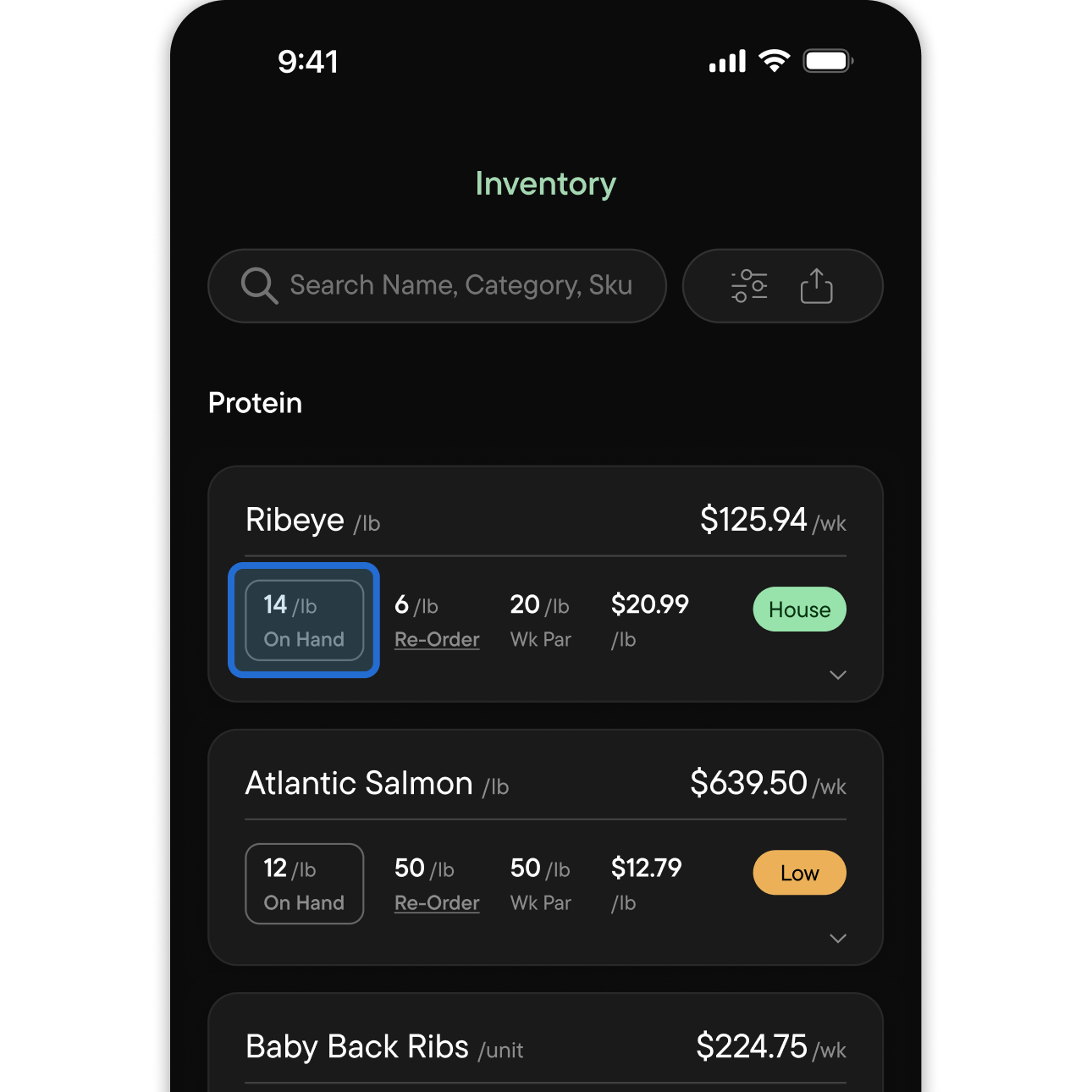
Change ‘On-Hand’ value

Limiting inventory card input to only “On-Hand”. Dynamically updates ‘ReOrder’ based on ‘WkPar’ value.

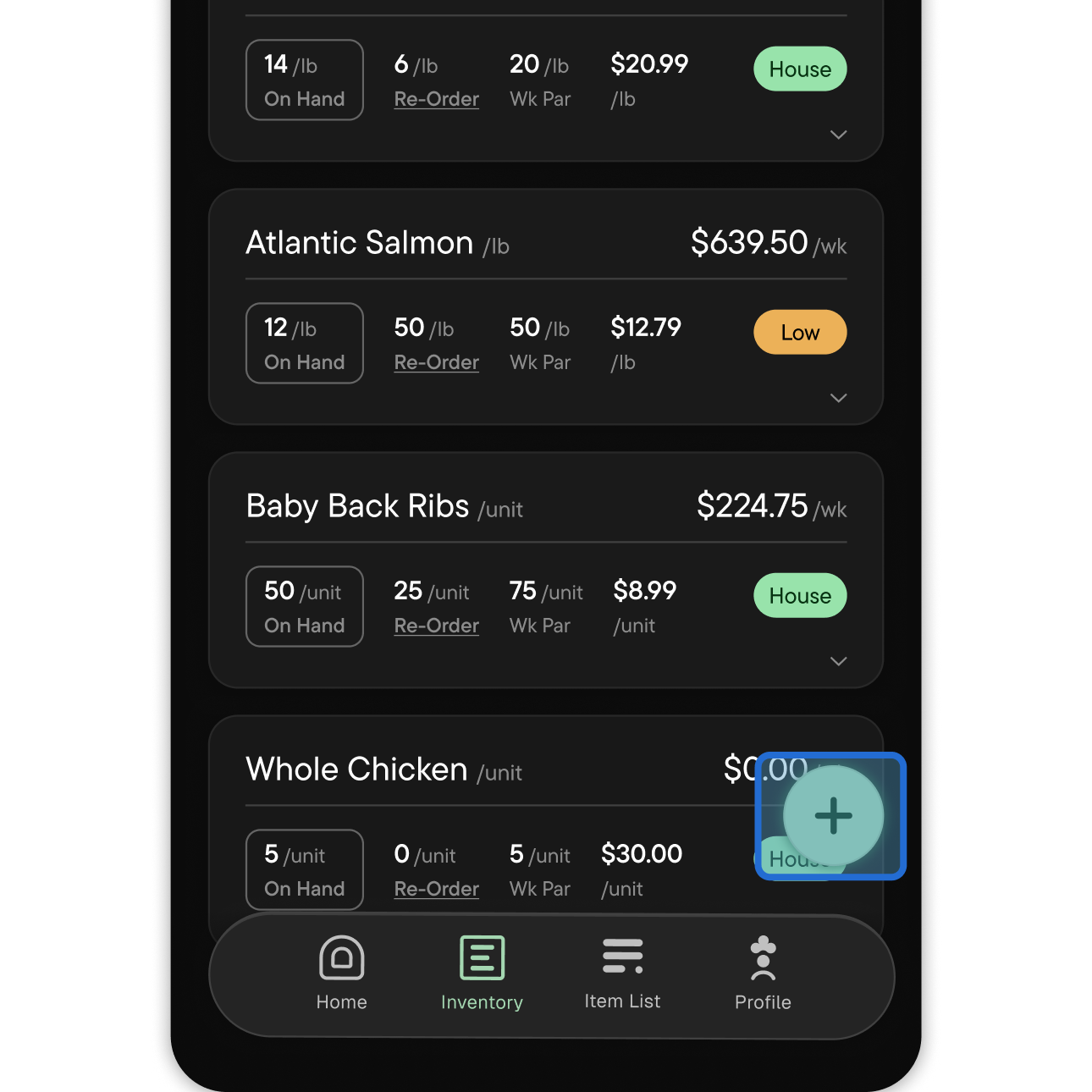
Add new items to inventory list

Placed “add” button fixed bottom right, the most common and intuitive location for mobile operation.

Inventory - Card Breakdown

Restyled the relevant information in our inventory card to be more concise and instantly readable

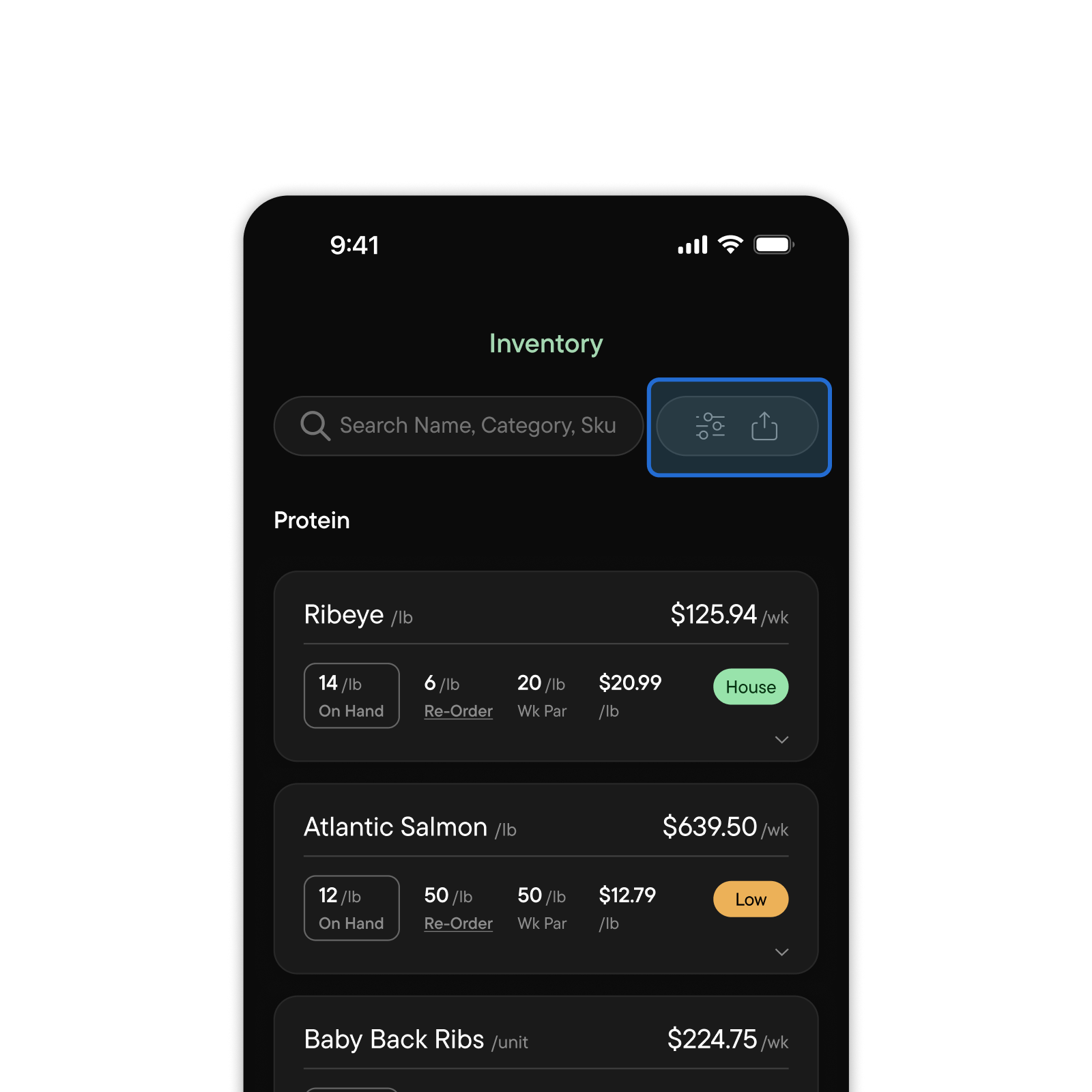
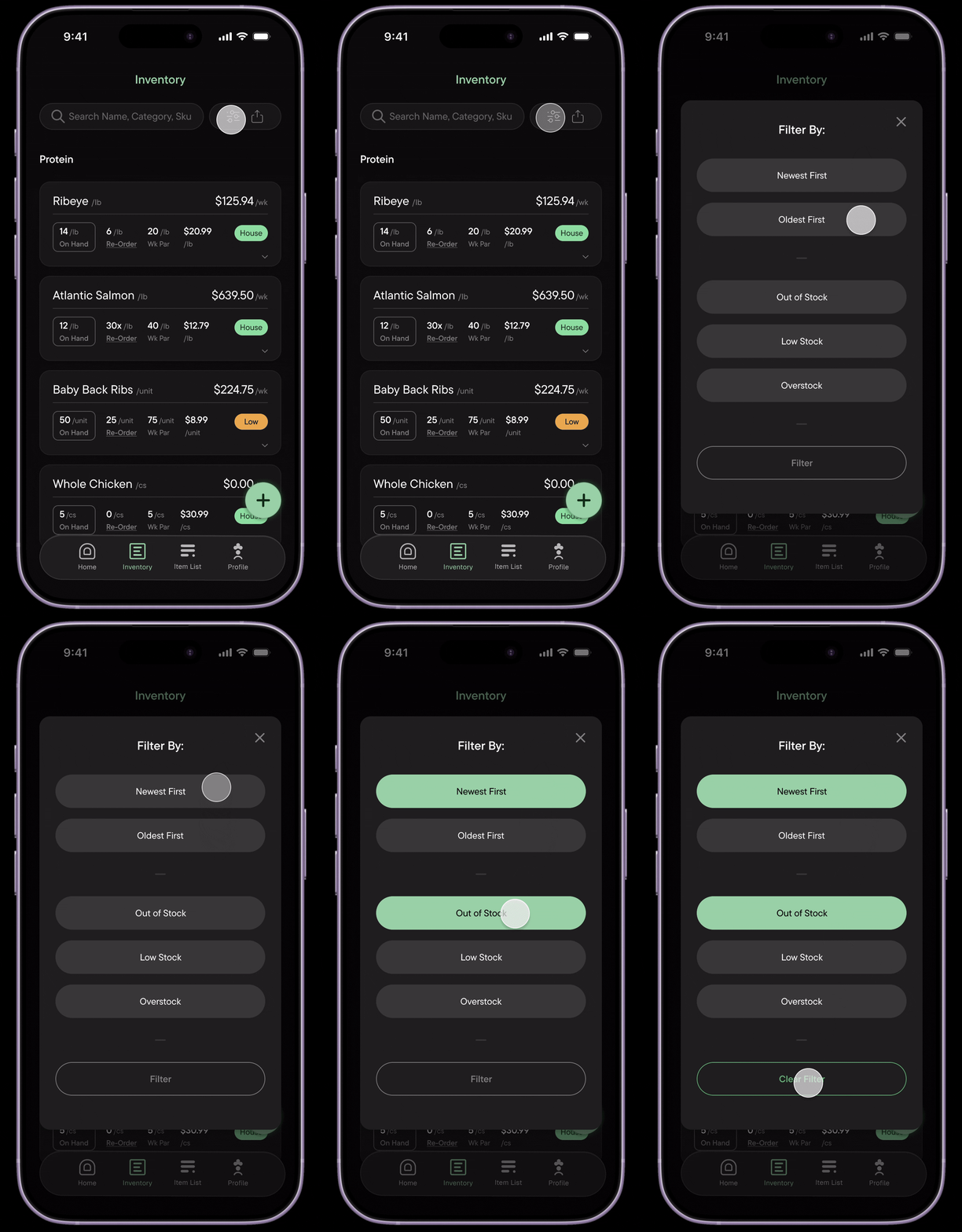
Search and filters

Added search and filters as fixed elements. The user will always be able to search specific items and filter to their specification.

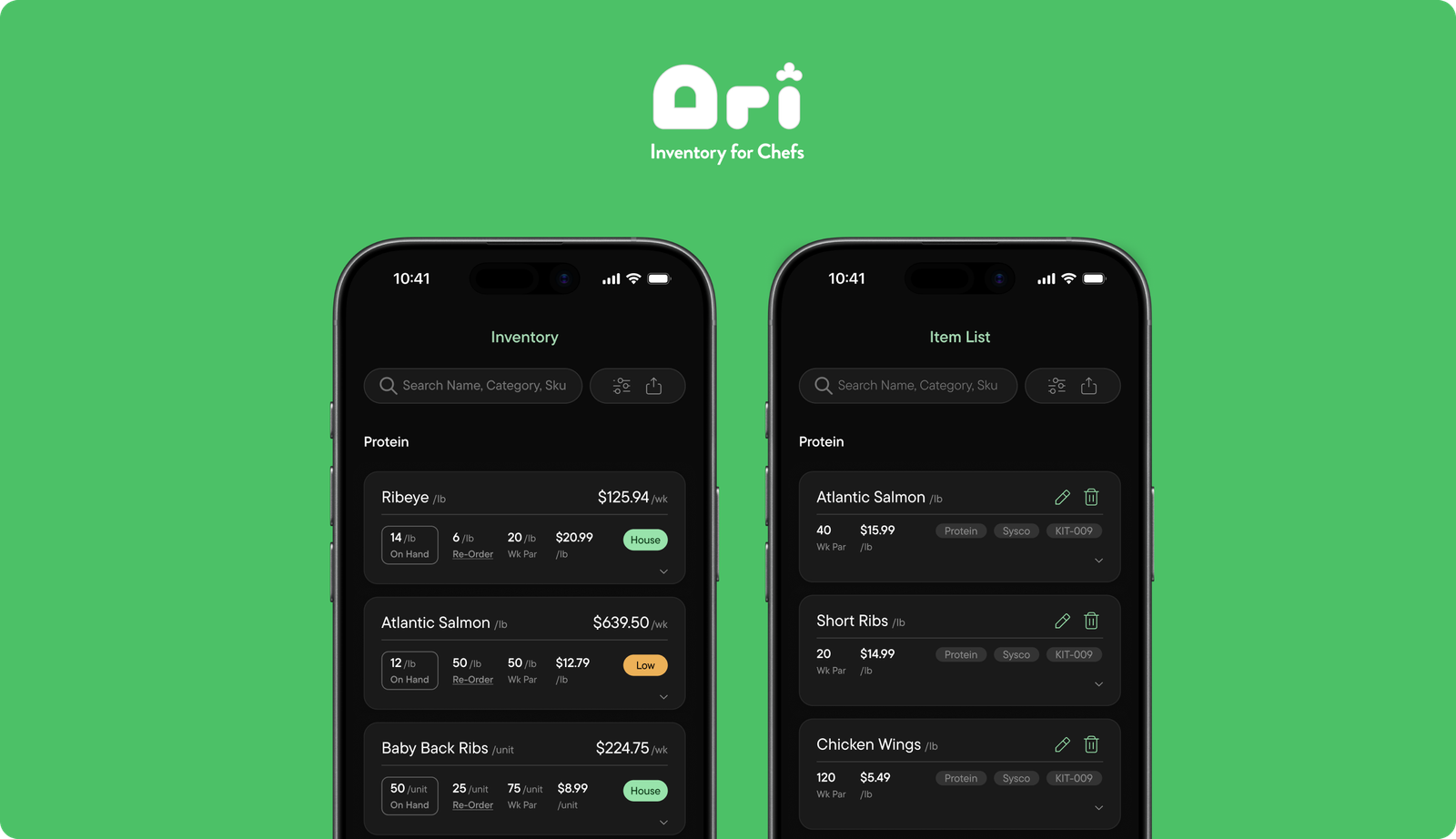
Two Spaces, One System

The inventory list and item library are separated from each other. Each page represents a focused task for ease, clarity and efficiency.

Inventory List

The inventory list is for week beginnings or week ends, updating your on-hand count to represent your in house inventory.

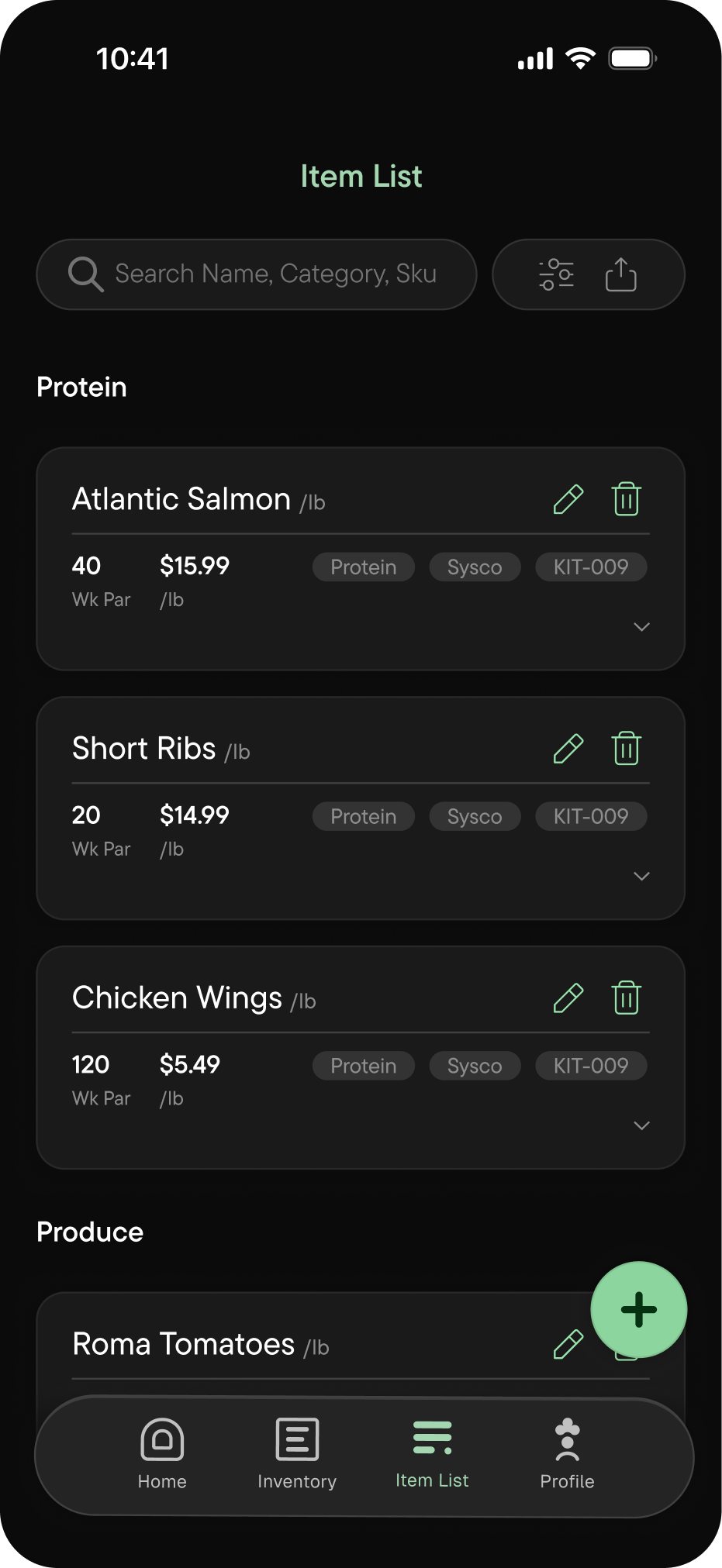
Item List

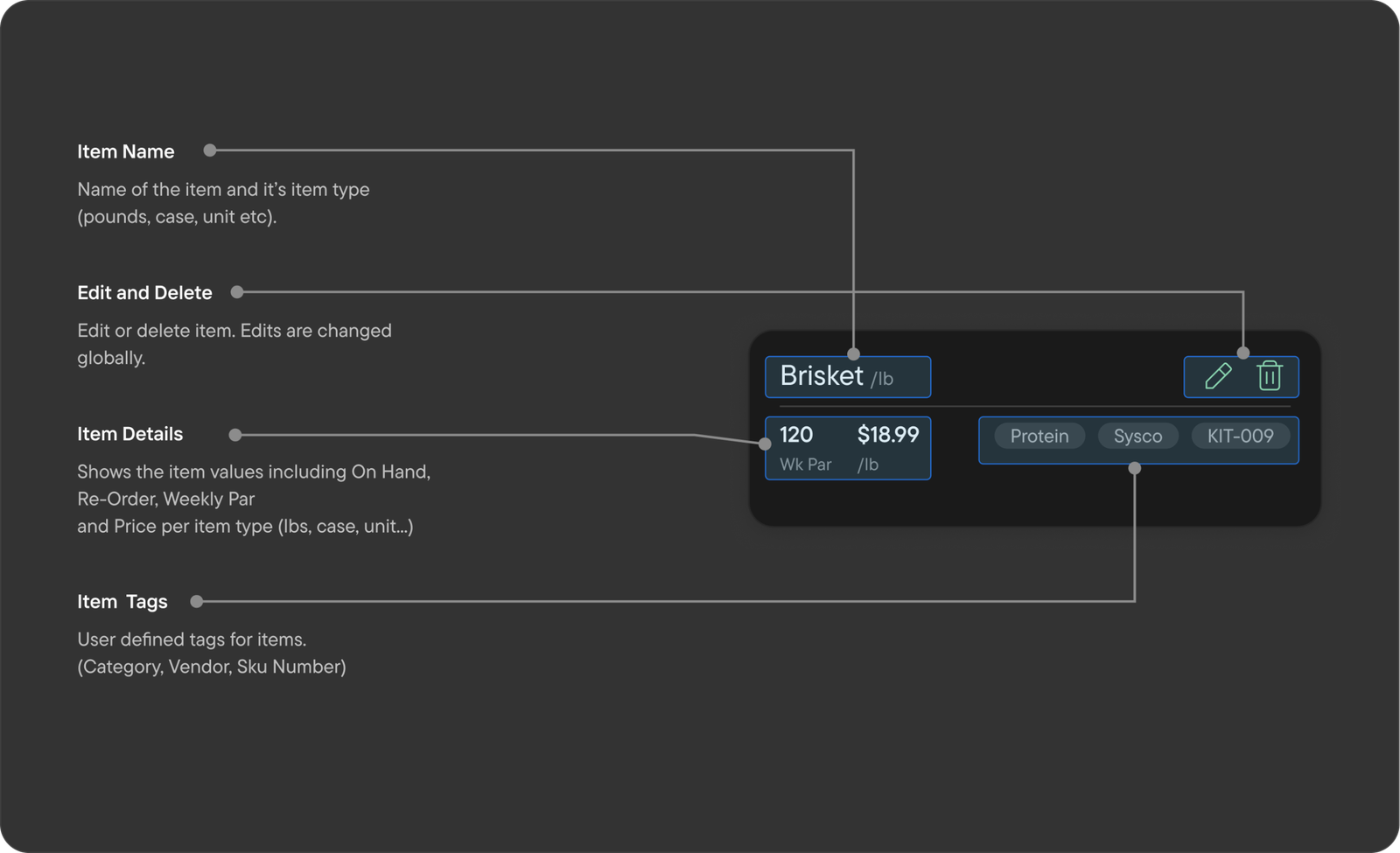
The Item List is for adding new items to serves as a global library for your inventory list. Changes to these items are global.

Item List - Card Breakdown

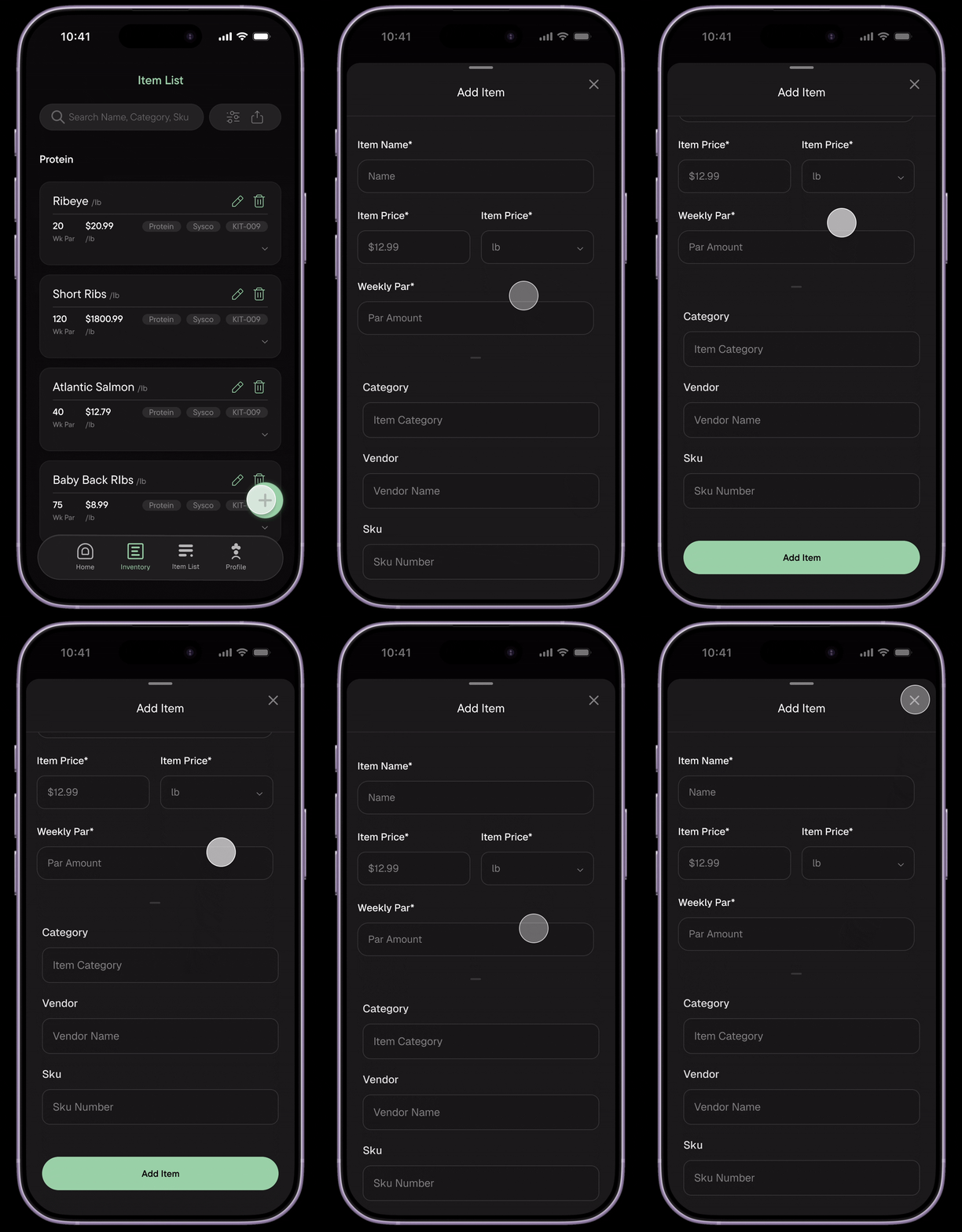
Adding items

Users are able to add items with all parameters and tags which update globally.

Basically giving “class” or “component” level functionality to users to dynamically update inventory list based on these items.

Combatting vague pen on paper guesswork and messy excel files.

With Ari, we’re taking the fight to pen and paper guesswork, stressful inventory evenings and confusing minefields of Excel spreadsheets.

Results

Reduced Wastage

32%

With easier reporting and ordering, wastage has been dramatically reduced as a result. Reducing overages and spoilage.

Increased Efficiency

60%

The app allowed for up to 60% faster inventory recording and reporting.

Faster Onboarding

70%

The simplicity of the app made it significantly easier to train managers and staff.

Key Takeaways

Ai refines ideas, it doesn’t create them.

With AI, you work as a director, guiding the refinement process from the core ideas generated from the designer. It can break down when given the tasks to come up with something it has no reference for.

Cutting through the noise.

With several rounds of feedback, it became quite overwhelming deciding on which voices were most relevant. I had to cut through the noise of opinion to find clarity in direction and impact.